> For the complete documentation index, see [llms.txt](https://docs.marpledata.com/docs/llms.txt). Markdown versions of documentation pages are available by appending `.md` to page URLs; this page is available as [Markdown](https://docs.marpledata.com/docs/marple-insight/user-manuals/analysis.md).
# Analysis
Marple is all about discovering how beautiful your data looks once it comes alive in plots.
Because graphs are beautiful!
### Open visualisations of existing project
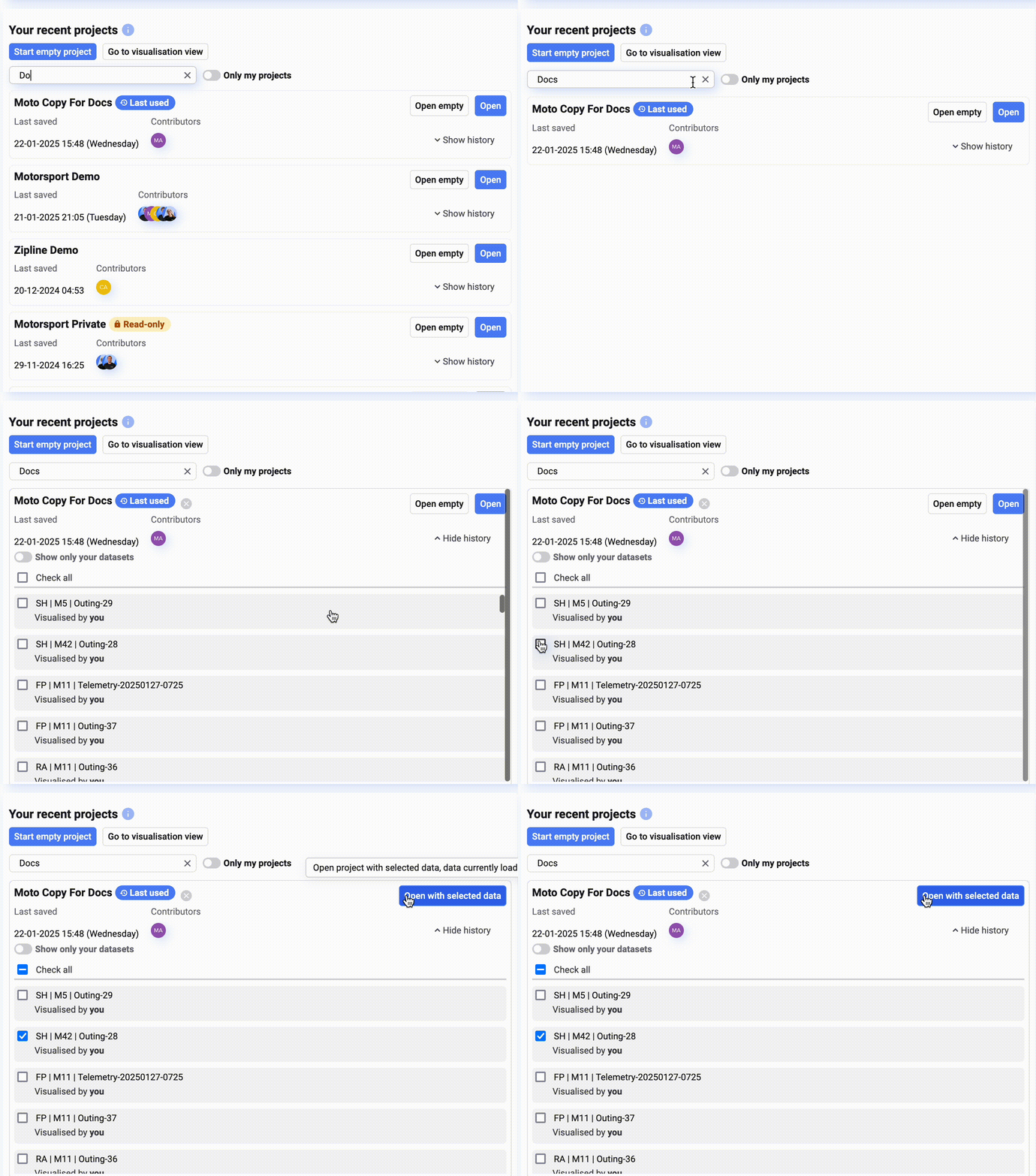
* From the home page, open the desired project
1. Find the project you want to open in the project list
2. Select the data you want to visualise
3. Click '**Open with selected data'.**
### Create visualisations in new project
If you are new to Marple and would like to start a new project, simply go to the analysis view in the left sidebar and learn how to [Add Data Sets](/docs/marple-insight/user-manuals/analysis/add-data-sets.md).
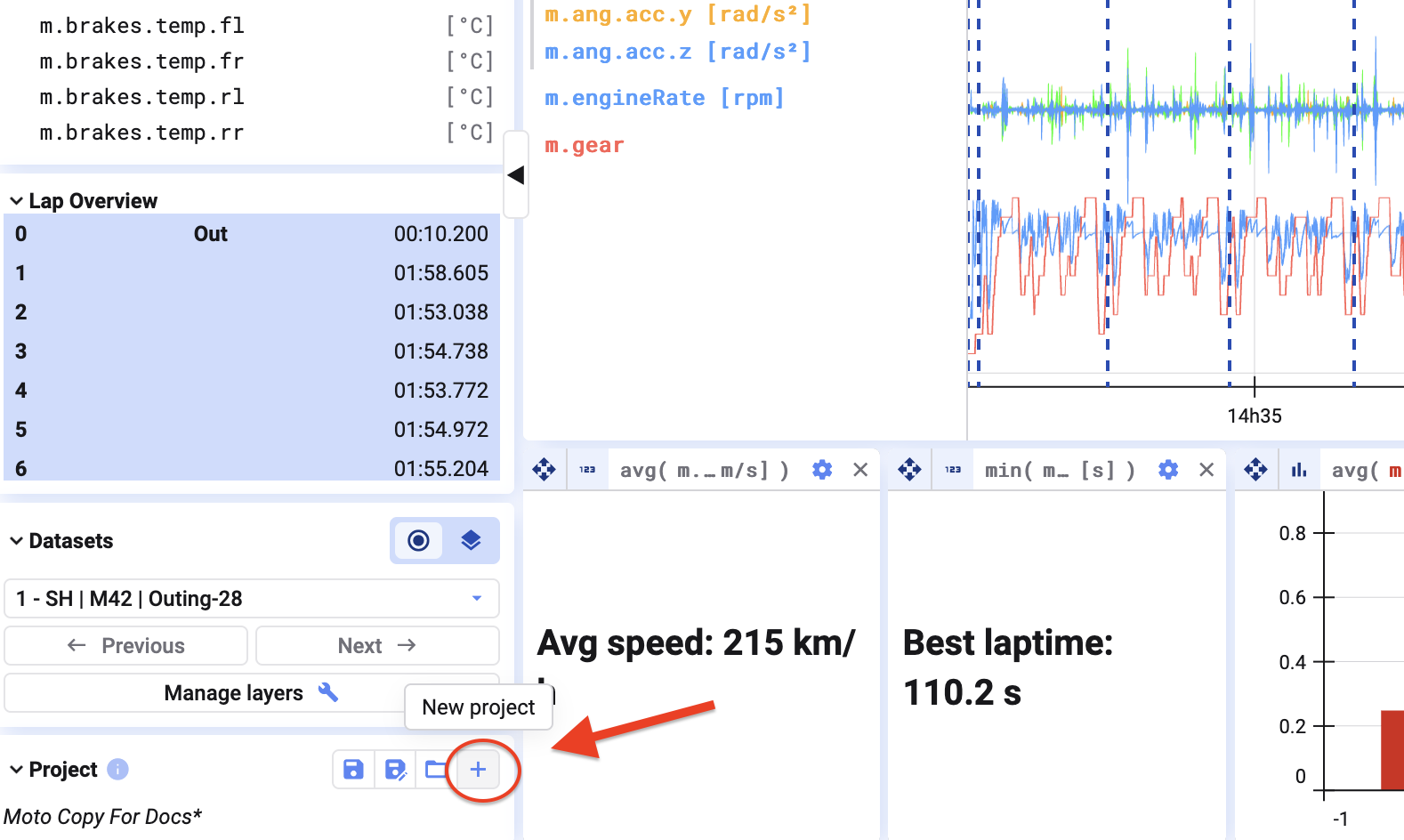
If you’ve previously opened a project but want to start fresh, click **New Project** in the bottom left corner of your screen. This will open a blank project without any pre-made visualizations, allowing you to build from scratch.
Learn more about what a project is here [Projects](/docs/marple-insight/user-manuals/projects.md).
Next, learn how to add [Add Data Sets](/docs/marple-insight/user-manuals/analysis/add-data-sets.md).