> For the complete documentation index, see [llms.txt](https://docs.marpledata.com/docs/llms.txt). Markdown versions of documentation pages are available by appending `.md` to page URLs; this page is available as [Markdown](https://docs.marpledata.com/docs/marple-insight/user-manuals/analysis/plot-types/time-series/state-background.md).
# State background
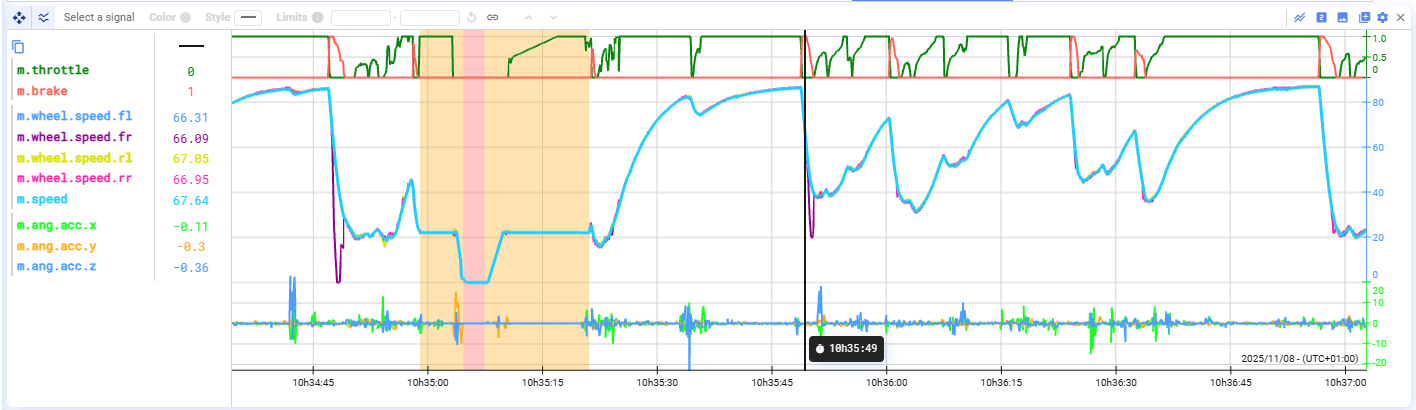
Conditional background colors in time series
You can color the background of a time series plot based on the state or value of another signal.
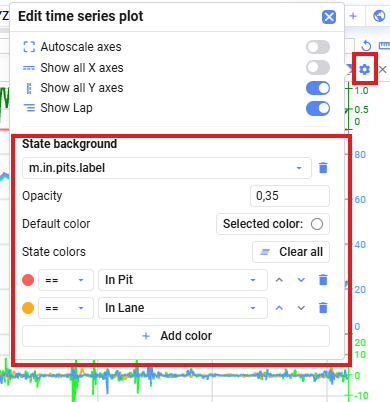
To configure background coloring:
1. Open the **plot settings** of your time series plot.
2. Drag or select a signal and add it to the **State background** section.
3. Define which states or values should correspond to which background colors.
4. The rules are applied **from top to bottom**—the background is colored according to the **first matching rule**.