> For the complete documentation index, see [llms.txt](https://docs.marpledata.com/docs/llms.txt). Markdown versions of documentation pages are available by appending `.md` to page URLs; this page is available as [Markdown](https://docs.marpledata.com/docs/marple-insight/user-manuals/analysis/plot-types/time-series/text-data.md).
# Text data
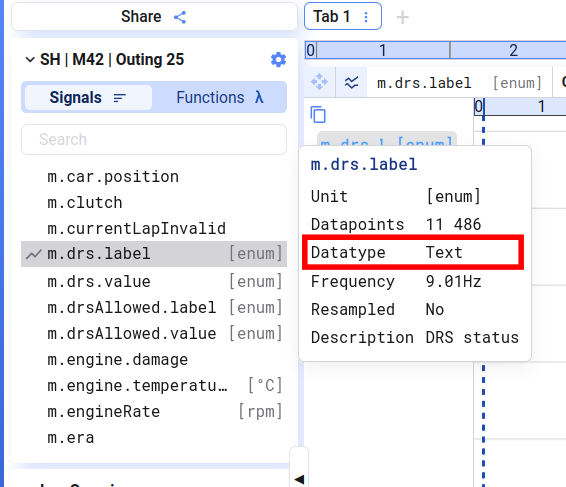
You can recognize text signals by their `Text` datatype.
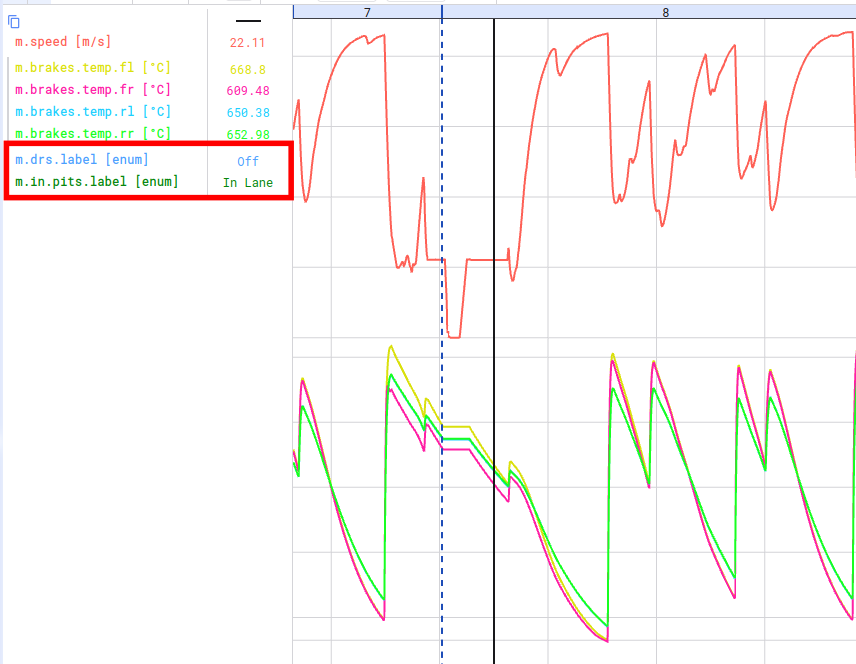
Text signals can be added to time series plots. They will not show up as an extra line on the plot but their value at the cursor is displayed along with the other cursor values.
## Converting between Number and Text signals
If you want to visualize how the text signal evolves over time, you can create a function to convert the different text values to numbers and plot this function. Similar formulas can be used to create a text signal from a discrete numeric signal. Depending on you database type, this function will look different.
This are some example functions on how to convert a discrete `gear` signal to a text signal `direction`which indicates the driving direction:
### ADX
Text to Number
```kusto
iff([[direction]] == 'Reverse', -1,
iff([[direction]] == 'Neutral', 0, 1)
```
Number to Text
```kusto
iff([[m.gear]] == 0, 'Reverse',
iff([[m.gear]] == 1, 'Neutral', 'Forward'))
```
### PostgreSQL / TimescaleDB
Text to Number
```sql
CASE
WHEN [[direction]] = 'Reverse' THEN -1
WHEN [[direction]] = 'Neutral' THEN 0
ELSE 1
END
```
Number to Text
```sql
CASE
WHEN ([[gear]]::int) = 0 THEN 'Reverse'
WHEN ([[gear]]::int) = 1 THEN 'Neutral'
ELSE 'Forward'
END
```